


Universal AC Remote Control
4.21.05K Reviews
App Specs
- Version
- 3.5
- Updated On
- License
- Free
- Downloads
- 10,000,000+
- Developer
- TV Master - Smart TV Remote Control
- Categories
- House & Home
- Platform
- Android, iOS
Screenshots
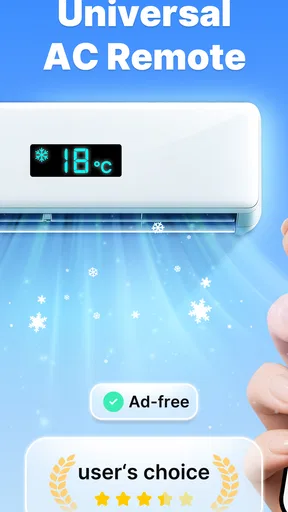
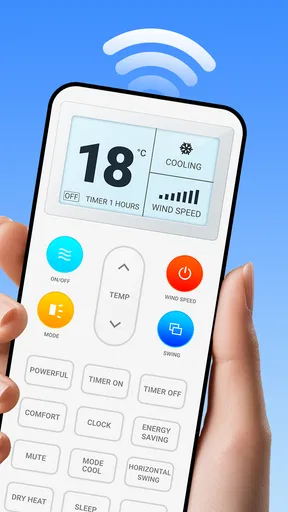
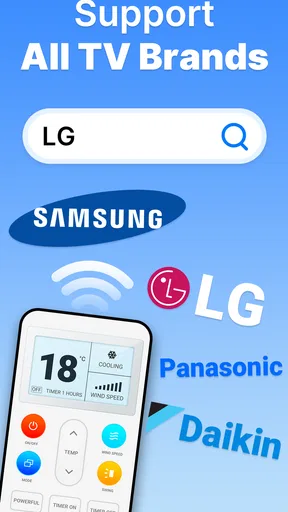
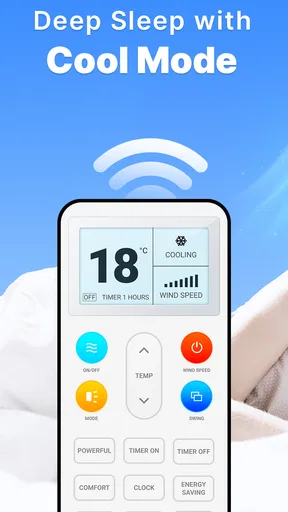

 Analysis by AppCompare
I would treat Universal AC Remote Control as a practical backup for the air-conditioner remote, not as a guaranteed replacement for every setup. Its purpose is straightforward: use a phone to send commands to an AC. That can be genuinely handy when the original remote has wandered off, its buttons are failing, or you want to make a quick adjustment without getting up. The key first question is whether your phone and air conditioner can communicate in a way the app supports; the smoothest first run depends on that match.
What to expect before you install
This is a free House & Home app from TV Master - Smart TV Remote Control. It is rated for Everyone, has an average rating of 4.2 from around 329,000 ratings, and has passed 10 million installs. Those figures suggest that many people are willing to try it, but they don’t guarantee compatibility with your particular phone or AC. I’d use the app’s popularity as a reason to consider testing it, not as proof that it will work in every home.
The app’s focus is narrower than the word “universal” might imply. It is meant for controlling an air conditioner, rather than serving as a general household control hub. If you mainly want to change temperature or adjust the unit from your phone, that focus is useful. If you expect it to manage other appliances, connect every smart device in the house, or replace a dedicated climate-control system, I’d look elsewhere.
A calm first setup
The first step is to find the app by name in your device’s app store and install it. Its current version is 3.3.7, and it requires Android 6.0 or later. Once it opens, take a moment to identify the exact brand and model of your AC if you can; checking the unit’s label or paperwork is more reliable than guessing from its appearance. When an app offers several similar choices, starting with the precise model can save time and make troubleshooting less confusing.
Then test one basic command rather than trying to explore everything at once. If the unit responds, you have a useful starting point. If it does not, check that the AC has power, that you selected the right device option, and that your phone’s control method is supported by your setup. A failed first tap doesn’t automatically mean the app is useless; it may point to a mismatch that needs a different selection or a compatible control path.
The first useful success
For me, the meaningful test is simple: can I switch the AC on or make one small adjustment and see the unit respond? That is more informative than spending time browsing settings before confirming the basics. Once that works, try a second command, such as changing the temperature or mode, and check that the unit behaves as expected. Keep the physical remote nearby during this first check so you can quickly restore a comfortable setting if the app’s command is not what you intended.
A realistic use is arriving home on a warm day and wanting to start the AC before settling in. If your phone and unit are compatible and the control method works from where you are, using the app can spare you the hunt for a remote. I would still test that routine at home first rather than relying on it when you are already out; an app-based control experience depends on the setup actually working, not just on the promise of convenience.
Worth Reading Before You Choose

Flipboard Shows What News Apps Must Do Beyond the Feed

Switching to Android Auto Means Rethinking Your Driving Routine

Google Calendar Makes a Crowded Week Easier to Manage

Ludo King Makes the Most of the Minutes Between Plans

Baby Panda World Brings Quick Play to Modern Phones, but Its Game Library Feels Busy

ESPN’s Live Game View Makes Following Close Games Easier
Where the convenience has limits
People often wonder whether a phone can control an AC from any room or while they are away. The practical answer depends on the connection method available in their setup. A phone using infrared needs a suitable IR capability and a workable path to the air conditioner; a network-based route has different requirements. I wouldn’t assume that “remote control” means reliable control from anywhere. Try it from the spots where you expect to use it, and keep the regular remote as a fallback until you know what works.
That distinction also helps explain why two people can have very different first impressions. One may get a response quickly, while another may need to check device compatibility or the chosen control option. The app’s developer, TV Master - Smart TV Remote Control, has kept the stated purpose easy to understand, but setup still depends on the devices in the room. My advice is to judge it by a direct test with your own AC rather than by its name alone.
Getting Started with Universal AC Remote Control
First things first, let's talk about setting it up. Downloading the app is a breeze. Just head to the Google Play Store or the App Store, search for Universal AC Remote Control, and hit that install button. It’s lightweight, so it won’t hog your phone’s storage. Once it's installed, open it up, and you’re greeted with a simple, straightforward interface.
The app supports a wide range of brands, so whether you have a Samsung, LG, or even one of those lesser-known brands, you’re likely covered. A quick scan will connect your phone to your AC unit, and voilà–you're in control. No complex setup, just a smooth transition from confusion to control.
User Interface: Simple and Intuitive
One of the first things that struck me was how intuitive the user interface is. The main screen features large, easy-to-read buttons with clear labels. You’ve got options to adjust the temperature, switch between modes, and control the fan speed. The designers really nailed it with this minimalistic approach, ensuring that anyone can navigate it without needing a manual.
The app also offers a sleek design with a modern touch. The color scheme is calming, which is perfect when you’re trying to unwind. The ease of use is complemented by quick responsiveness, so changes happen in real-time. No lag, no frustration.
Key Features That Stand Out
Now, let’s dig into what makes this app a must-have. Apart from the basic controls, Universal AC Remote Control offers some nifty features. For instance, it has a timer function that lets you schedule when your AC should turn on or off. This is a game-changer for those who like to wake up to a cool room or save energy when they’re not home.
Another highlight is the ability to create custom presets. You can set your preferred temperature and fan speed for different times of the day. Imagine having a preset for your morning routine, another for work-from-home sessions, and yet another for cozy movie nights.
Performance and Connectivity
Performance-wise, the app is a champ. It connects to your AC almost instantly and maintains a stable connection, which is crucial for uninterrupted comfort. Whether you’re adjusting the settings from another room or even from outside your home, the app delivers consistently.
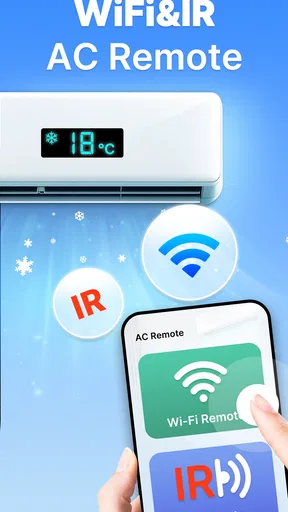
The connectivity is solid, relying on your phone's IR blaster if available. If not, it cleverly uses Wi-Fi, making it versatile and adaptable. This flexibility is a major plus, especially if you have different devices in your household.
Choosing it over the usual alternatives
Compared with keeping only the manufacturer’s remote, this app’s biggest appeal is having a control option on a device you already carry. That can help when the original remote is misplaced or shared around the home. The dedicated remote still has advantages: it is purpose-built, requires no app navigation, and is a safer fallback if your phone is unavailable or its battery is low. I’d keep both if the physical remote is still working.
It also sits apart from buying a separate universal remote. A physical universal controller may suit someone who wants a single, always-ready handset, especially if the phone and AC do not work well together. This app is the more convenient experiment when you want to avoid buying another device before checking compatibility. For a home already built around a dedicated smart-home system, that existing system may be the better choice if it reliably controls the AC; this app’s narrower job is a virtue only when that is the control you need.
Small habits that make testing easier
When trying commands, make one change at a time and wait long enough to see how the AC responds. That makes it easier to tell whether a missed response came from the command, the selected device, or the control route. I’d begin with a simple on/off test, then check temperature and fan settings separately. If one command works but another doesn’t behave as expected, return to the working baseline instead of changing several settings at once.
For shared rooms, agree on a simple routine before relying on presets or timers. A schedule that suits one person’s morning may not suit someone sleeping in the same room, and a saved preference is only helpful if everyone understands what it will do. I would use a timer first for a predictable, low-stakes routine, then see whether it fits daily life before depending on it overnight or while the home is empty.
Another useful trade-off is phone placement. Infrared control, when that is the route available, is most practical when you are in a position from which the phone can reach the unit. That makes the app convenient from a sofa or bedside table, but not a substitute for a control system designed for dependable access from elsewhere. If you find yourself repeatedly walking to a better position, the standard remote or another compatible control option may be less frustrating.
Who will get the most from it
I’d recommend giving it a try if you often misplace the AC remote, want a phone-based backup, or prefer checking whether an app can handle a simple adjustment before buying another controller. It is especially appealing to someone who is comfortable doing a short compatibility test and keeping the original remote nearby until the new routine proves dependable. Because the app is free, that trial can be a sensible first step, provided you are comfortable installing and testing it on your phone.
I’d skip it if you need guaranteed control for a particular AC and have no time to troubleshoot, if your phone lacks a compatible way to communicate with the unit, or if you want a physical button you can use without unlocking a phone. It may also be the wrong fit if you expect an app to solve a broader home-automation need. In those cases, the manufacturer’s controller, a compatible physical universal remote, or an existing home-control setup is the more straightforward option.
Is It Worth It?
So, is Universal AC Remote Control worth the download? Absolutely. It’s a lifesaver for those moments when you can’t find the remote or want more control over your environment. The app is free, with some in-app purchases, but even the basic version offers a robust set of features that cater to most needs.
In a world where everything is getting smarter, this app is a perfect example of technology making life easier. It’s reliable, efficient, and, most importantly, user-friendly. Whether you're tech-savvy or someone who barely uses apps, you'll find it a breeze to operate.
So, the next time you’re lounging on your couch and realize you want to adjust the AC, just reach for your phone. With Universal AC Remote Control, comfort is just a tap away. Give it a try, and you might find yourself wondering how you ever lived without it.
My take after weighing the trade-offs
The app makes the most sense when you view it as a convenient second way to control a compatible AC, rather than as a promise that every phone can replace every remote. Its appeal is easy to understand: the phone is already close at hand, and a working control can save a small but annoying interruption. The sensible approach is to test that benefit in your own room and keep the existing controller available until you know the app is dependable for your routine.
Its average rating of 4.2 reflects a generally positive reception among a large audience, but an average cannot predict whether your own combination of phone and air conditioner will cooperate. The current version is 3.3.7, and the app has been available since December 10, 2020. I’d focus less on those details than on the practical outcome: if a basic command works consistently in the places you need it, it has earned a spot on your phone; if setup turns into repeated guesswork, choosing a purpose-built alternative is perfectly reasonable.
Pros
- Easy to set up and use.
- Supports a wide range of AC brands.
- User-friendly interface.
- Quick response time.
- No need for multiple remotes.
Cons
- Requires internet for full features.
- Ads can be intrusive at times.
- Limited support for older devices.
- May drain battery quickly.
- Some functions may not work on all ACs.
FAQs for Universal AC Remote Control
What devices are compatible with the Universal AC Remote Control app?
The Universal AC Remote Control app is designed to work with a wide range of Android and iOS devices that have an infrared (IR) blaster. If your smartphone or tablet lacks an IR blaster, you may need an external IR adapter to use the app effectively. Ensure your device meets this requirement before downloading.
How do I set up the Universal AC Remote Control app with my air conditioner?
To set up the app, first ensure your device has an IR blaster. Open the app, select your air conditioner's brand from the list, and follow the on-screen instructions. The app may require you to test a few codes to find the one that works with your AC unit. This process is generally straightforward and takes only a few minutes.
Is the Universal AC Remote Control app free to use?
The app is often available for free download, but it may contain in-app purchases or advertisements. These can enhance functionality or remove ads. While the basic features are typically free, consider checking the app's description on the Google Play Store or Apple App Store for detailed pricing information.
What features does the Universal AC Remote Control app offer?
The app provides features like temperature control, fan speed adjustments, and mode switching (cool, heat, fan, dry). It often includes a timer and scheduling function for automatic operation. Some versions may offer voice control integration with smart home devices, enhancing convenience and user experience.
What should I do if the Universal AC Remote Control app does not work with my air conditioner?
If the app doesn't work, first ensure your device has an IR blaster and is properly aligned with the AC unit. Double-check that you've selected the correct brand and model. If issues persist, consult the app's help section or contact customer support. User forums and reviews can also provide troubleshooting tips.


